April 6, 2026
I recently rediscovered this gem of a game while digging through some of my old files:
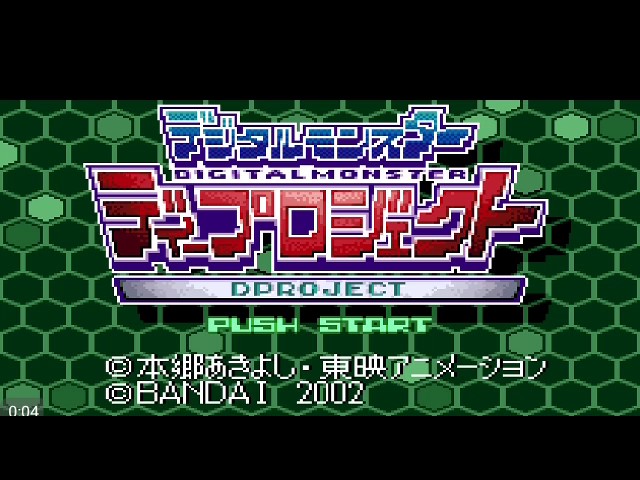
For those that don't know, it is called Digimon D-Project, and it ran on the WonderSwan Color (a GameBoy competitor that never made it out of Japan).
This game is a fun way of spending an afternoon but it has one big issue for western audiences: it is exclusively in Japanese. Every Reddit thread about it ends the same way: someone lamenting that this WonderSwan gem is stuck in Japanese. If only there were fan translations available more people could enjoy it.
So I asked myself: how hard can it be to provide one?
(Turns out, way harder than I expected.)
And instead of actually playing the game I went on a weekend-long rabbit hole trying to figure out a path towards translation.
Baby steps
I acquired a ROM for this game (through less-than-scrupulous means), downloaded the Mesen emulator and went to work. First I needed to replace at least one piece of dialogue in the game to know that this could be done at all. So I booted up the game and got this:
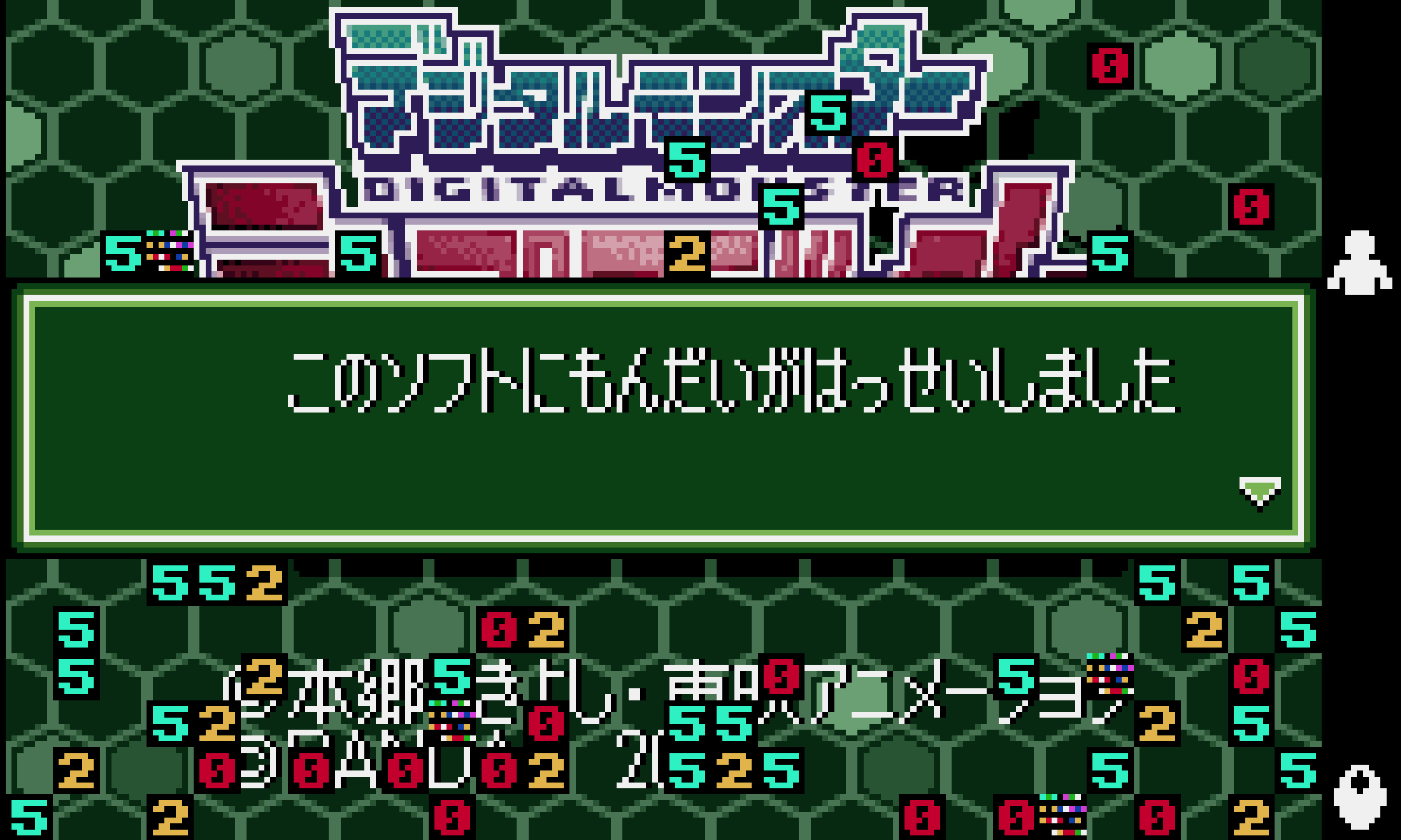
And that's when it hit me: I can't copy-paste from the emulator screen and I don't know Japanese! How am I supposed to get the text out of the game?
So after banging my head on the wall for a few minutes I decided to feed the screenshot to Gemini and, surprisingly, got an accurate OCR reading out of it:
このソフトにもんだいがはっせいしました
Problem solved! Except now I need to figure out how the Japanese characters are encoded into binary.
Most developers are probably familiar with UTF-8, which is essentially the global standard for encoding characters as binary data. But UTF-8 as a standard was finalized in 2003 and didn't become the global standard until around 2008. This game is from 2002, so the encoding is either custom (in which case I'm out of luck) or an early 2000s Japanese standard.
I googled around and found CP932 to be a potential candidate encoding. I encoded the text into Hex:
82b182cc835c83748...
and performed a string search on the binary using Visual Studio Code's Hex Editor extension, and there it was at offset 0x329B50. It also happened to be a null-terminated string, a fact we will use later on.
So I went to Gemini again and found a translation for the text: A problem has occurred with this software.. I did a binary replacement of the Japanese text with the translation, encoded as CP932 and I made sure to truncate the text so it didn't occupy more bytes than the existing ones (I didn't want to touch unrelated data, since it might contain instructions and make the game crash).
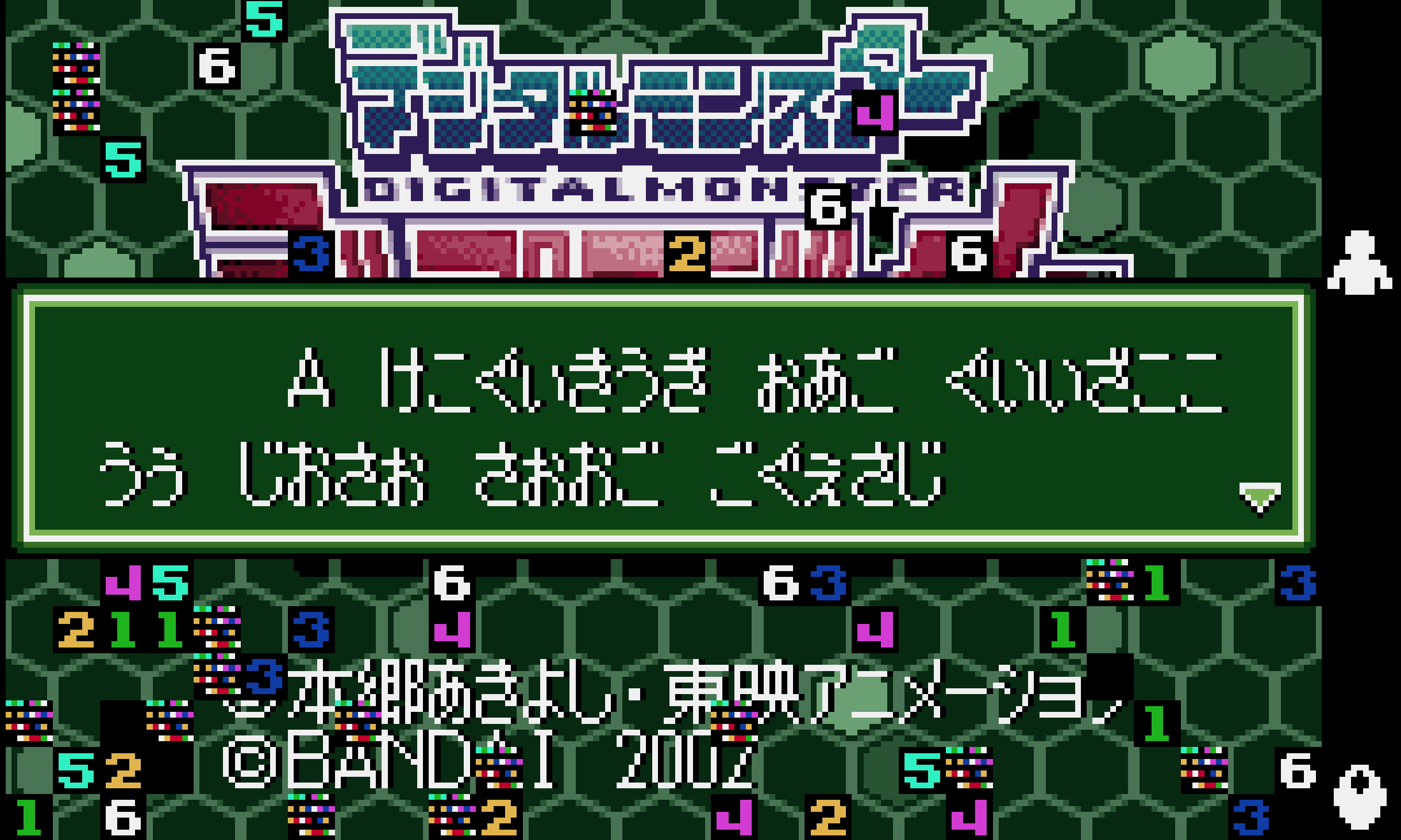
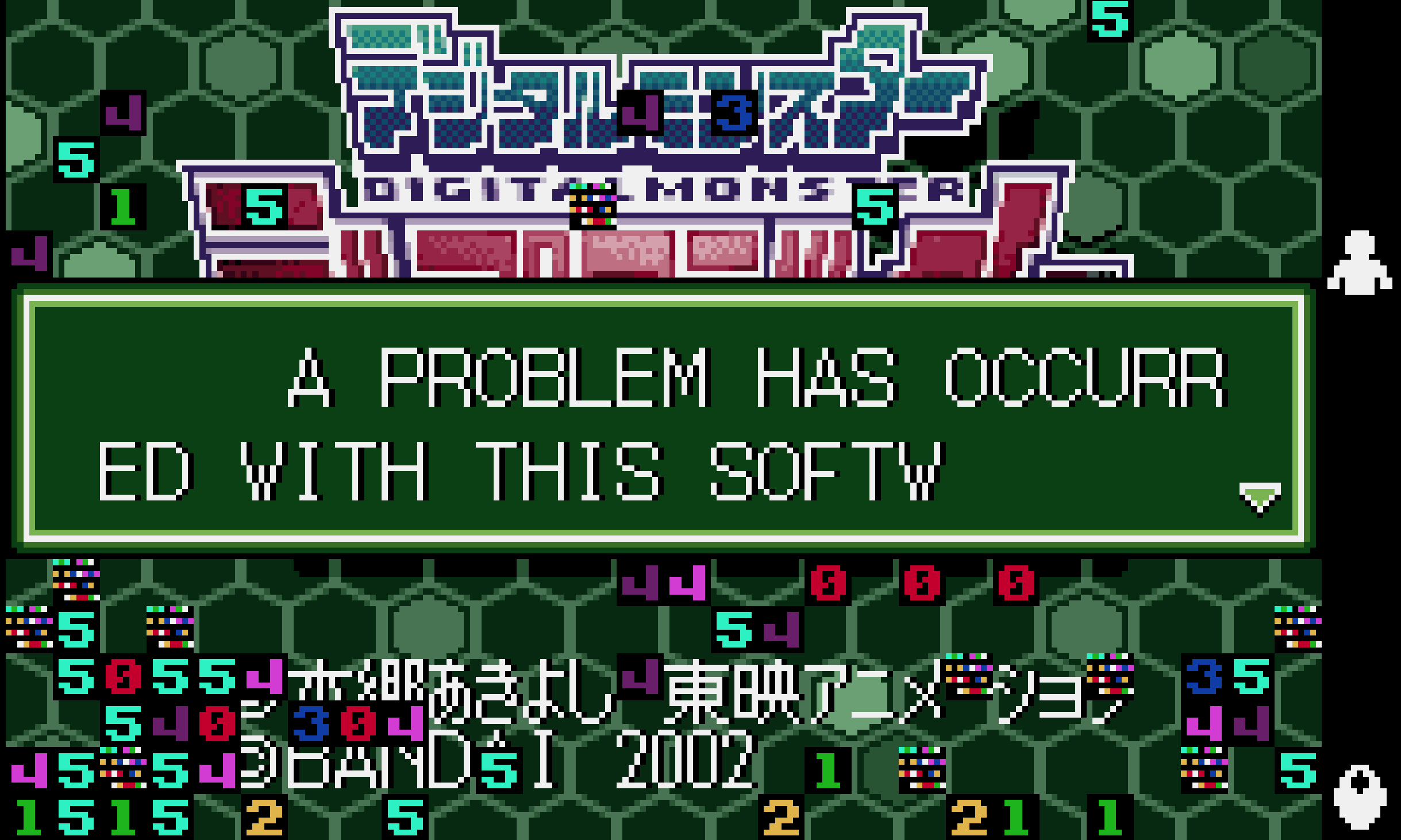
But the dialogue is gibberish now, with the exception of the first letter. Turns out CP932 only encodes the uppercase letters from the Latin script. After accounting for this we get our first translation. Yeah!
Deep dive
Now I'm fairly confident I can translate most if not all of the dialogue in the game. But doing OCR on every piece of text and translating it by hand won't scale. I need a way to get it done fast. My hypothesis at this point is that all the text in the game is located in a single location, indexed by a lookup table.
So I start messing with the debugger already present in the Mesen emulator. I find an option to add a breakpoint when reading a particular offset in memory and it leads me to 0x390A6E. There I find the following assembly code:
                    --------sub start--------
                    $90A6E:
90A6E [390A6E]  89 3E 5E 07    MOV DS:[$075E], DI
90A72 [390A72]  8C 06 60 07    MOV DS:[$0760], ES
90A76 [390A76]  C7 06 81 07 00 00   MOV DS:[$0781], $0000
90A7C [390A7C]  C6 06 83 07 00   MOV DS:[$0783], $00
90A81 [390A81]  81 0E 04 07 02 00   OR DS:[$0704], $0002
90A87 [390A87]  CB             RETF
                    ----------------
The critical instructions are 0x90A6E and 0x90A72. They load the values of the DI (data offset pointer) and ES (extra segment pointer) into [$075E] and [$0760] respectively.
Walking through the code execution I also find 0x39077A:
                    --------sub start--------
                    $9077A:
9077A [39077A]  8B 3E 5E 07    MOV DI, DS:[$075E]
9077E [39077E]  8E 06 60 07    MOV ES, DS:[$0760]
90782 [390782]  26 8B 05       MOV AX, ES:[DI]
90785 [390785]  FF 06 5E 07    INC DS:[$075E]
90789 [390789]  3C 00          CMP AL, $00
9078B [39078B]  75 03          JNZ +$03
9078D [39078D]  E9 19 01       JMP +$0119
                    $90790:
90790 [390790]  3C 01          CMP AL, $01
90792 [390792]  75 03          JNZ +$03
90794 [390794]  E9 E0 00       JMP +$00E0
                    $90797:
90797 [390797]  3C 03          CMP AL, $03
90799 [390799]  75 03          JNZ +$03
9079B [39079B]  E9 F6 00       JMP +$00F6

...
Note that it is reading from [$075E] and [$0760] and checking against 0x00, 0x01, 0x03, ... Checking against 0x00 is particularly telling since we had already noticed that strings were null-terminated. This implies that 0x390A6E is used to "load" a dialogue string and 0x390A72 is used to "render" each character.
Putting a break point at 0x390A6E and extracting the values stored in DI and ES will now allow me to find the dialogue strings in the ROM. In particular I used the formula:
offset := 3 * 16^5 + ES * 16 + DI
to find the correct offset.
Here it is worth explaining that the WonderSwan uses a V30MZ CPU, which has a 16-bit Intel x86 architecture. This means the CPU registers have 16 bits each, but the memory requires 24 bits to fully address it. The first 4 bits are fixed: the ROM data is always offset to 0x300000. But we still need 4 extra bits, which are provided by ES. In particular if you look at the value stored in ES you will notice it looks like 0x6000. Multiplication by 16 just acts as shifting left in hexadecimal, and since the lower three digits are zero we can add the value of DI to get the required offset. Operations like MOV AX, ES:[DI] are essentially applying this formula to get data from the ROM.
Translating more dialogue
I just have to play bits of the game now and use this information to inspect the ROM.
One thing to note here is that japanese characters encoded using CP932 will often use two bytes and the first byte will often be in the range 0x81-0x83. We can use this information to infer how big the block of strings surrounding the current dialogue offset is.
And this is where we start getting into trouble: the strings are all over the place in the ROM. This effectively killed my hypothesis: there is no dedicated strings table. But at this point I'm still confident: there must only be a handful of blocks and a single lookup table for the strings. So I identified a few of the blocks:
[
    {
        start: 0x375DF5,
        end: 0x37888A
    },
    {
        start: 0x329B4C,
        end: 0x32A03C
    },
    {
        start: 0x363C9C,
        end: 0x363C9C
    },
    {
        start: 0x363C9C,
        end: 0x36493E
    },
]
and created a script to extract the string contents from them:
[
  {
    "position": 3554460,
    "length": 187,
    "text": "オファニモン\u0001「てんそうに せいこう しました\u0001これが このゲームのなかでの あなたのすがたです\u0003ワンダースワンのXボタンで あなたじしんを\u0001うごかすことが できるはずです\u0001うごかせますか?」",
    "translation": null
  },
  {
    "position": 3554648,
    "length": 167,
    "text": "オファニモン\u0001「うまく うごかせた みたいですね\u0001では がめんうえまで いどうして\u0001とびらを あけてみてください\u0001とびらのまえで Aボタンを おすと\u0001あけることができます」",
    "translation": null
  },
  ...
]
Now I can give this JSON to Gemini and ask for a translation back (this post is a few prompts away from AI slop territory at this point). I then write another script to merge the Gemini translations with the strings I found:
[
  "3554460": {
    "position": 3554460,
    "length": 187,
    "text": "オファニモン\u0001「てんそうに せいこう しました\u0001これが このゲームのなかでの あなたのすがたです\u0003ワンダースワンのXボタンで あなたじしんを\u0001うごかすことが できるはずです\u0001うごかせますか?」",
    "translation": "Ophanimon: \"The transfer was a success. This is your form within this game. You should be able to move yourself using the WonderSwan's X button. Are you able to move?\""
  },
  "3554648": {
    "position": 3554648,
    "length": 167,
    "text": "オファニモン\u0001「うまく うごかせた みたいですね\u0001では がめんうえまで いどうして\u0001とびらを あけてみてください\u0001とびらのまえで Aボタンを おすと\u0001あけることができます」",
    "translation": "Ophanimon: \"It looks like you're able to move successfully. Now, please move to the top of the screen and try to open the door. You can open it by pressing the A button while standing in front of it.\""
  },
  ...
]
And a final script to insert these translations into the ROM:
import * as fs from "node:fs/promises";
import { encodeText, getTranslationDatabase } from "./utils.js";

const romFilename = "Digital Monster - D-Project (Japan).wsc";
const romBuffer = await fs.readFile(romFilename);

const data = await getTranslationDatabase();

for (const item of Object.values(data)) {
    // Game currently only recognizes uppercase text
    const translation = encodeText(item.translation.toUpperCase())
        // We are replacing strings in-place so we need to keep current pointer math untouched
        .subarray(0, item.length);
    romBuffer.set(translation, item.position);
    if (translation.length < item.length) {
        // 0x20 = whitespace
        romBuffer.fill(0x20, item.position + translation.length, item.position + item.length);
    }
}

await fs.writeFile("Digital Monster - D-Project (Japan) - Translated.wsc", romBuffer);
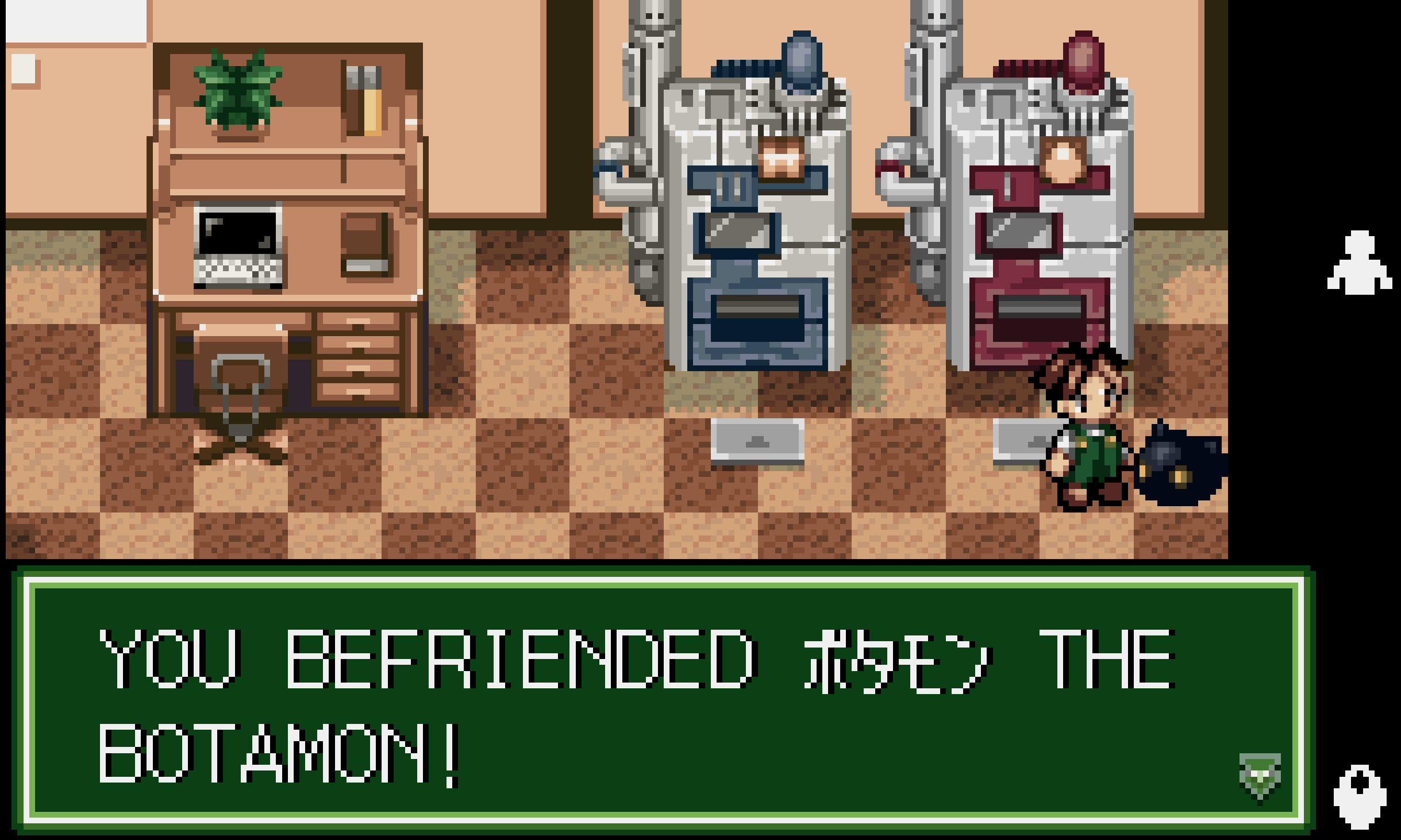
The end result is incredible: I can play through most of the early game in English for the first time in my life.
Coming up
The story doesn't end here though. In Part 2 I'll cover some of the walls I hit, and why I think this project might take longer than a couple weekends.